Marketplace Dashboard
Tenants with the Bookshop feature enabled can access the Marketplace Dashboard.
To access the Dashboard, go to Content > Marketplace.
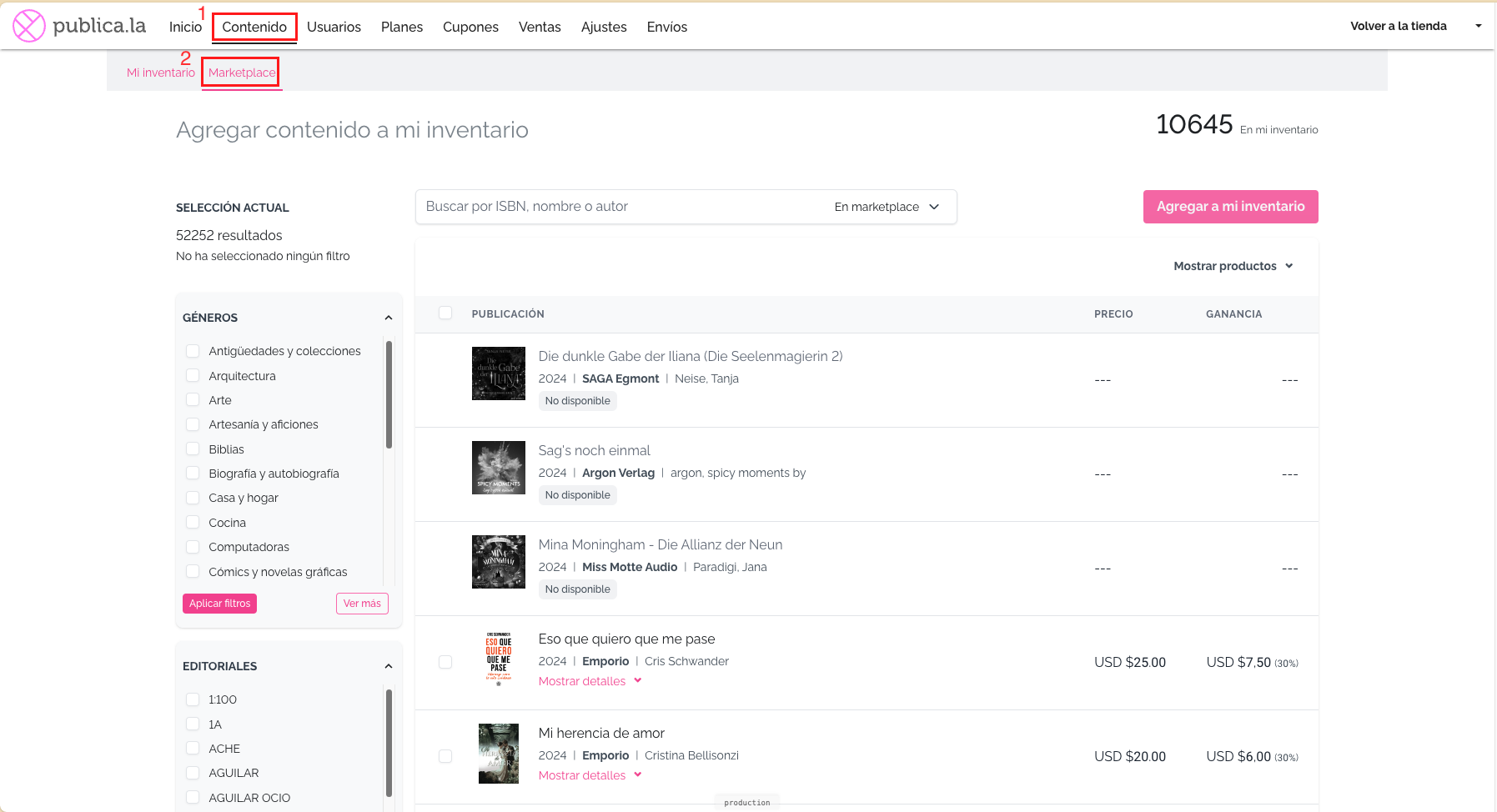
Views
Admins can set different views by changing the type of content next to the search box.
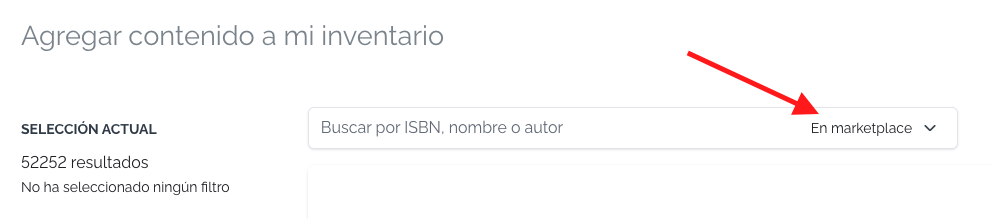
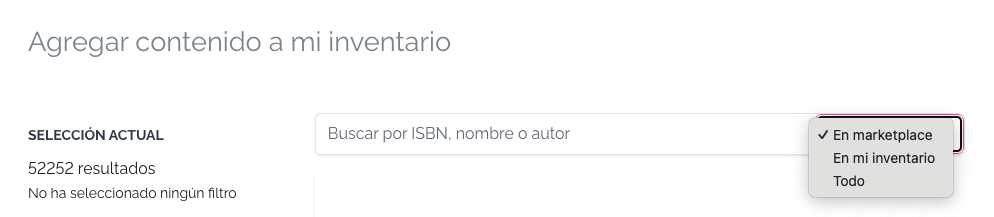
In Marketplace View
Tenant admins will see all the content shared in the marketplace not already taken to their inventory.
In My Inventory View
Tenant admins will see all the content shared in the marketplace taken to their inventory.
All the Content View
Tenant admins will see all the content shared in the marketplace, regardless of whether it was taken to the inventory or not.
Content Included and Not Included
Some content may be Not Included for certain bookshops due to the permissions set by the content owner (Find more information in this document: Block and Allow Lists).
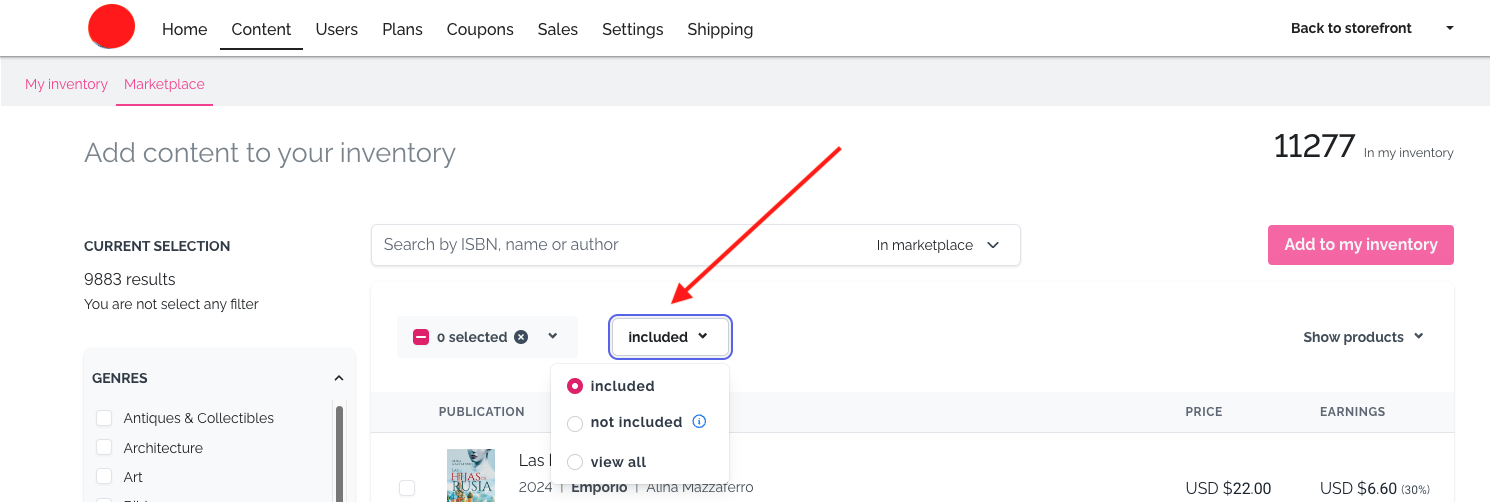
To provide a better user experience, admins will, by default, see the content list without the Not Included content. However, they can change this setting to view the Not Included content or all content together.
They can modify these options in the following section:
Filters
Tenant admins can filter the content through different attributes:
- Genres: Filter by the first level of BISAC categories.
- Publishers: All the publishers with content in the Marketplace.
- Type: The type of content: ebooks (epub or pdf) and audiobooks.
- Languages: The language of the book.
- Years: The year of publication.
- Country Availability: The country where the content can be sold.
Glossary
Bookshop: A tenant that takes content from the marketplace to sell it through its Publica.la store. Bookshops are common tenants whose business model, either exclusively or partially, involves selling content from other content owners in the Publica.la network.
Content Owner: A tenant owner of the content that was uploaded to the marketplace.
Marketplace: The place where content owners upload the content they want to be sold by other stores in the Publica.la network, and where bookshops take the content to sell from.